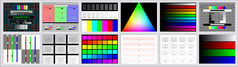
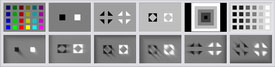
|
The DisplayMate Multimedia Editions are the most advanced and powerful versions of DisplayMate.
They are all loaded with proprietary highly innovative state-of-the-art
suites of test patterns for precision set up and calibration,
advanced diagnostic testing, evaluation, analysis,
and optimization for every type of display, monitor, projector and HDTV.
There are large sets of test patterns designed for use with
Instrumentation
like Spectroradiometers, Color Analyzers, Photometers,
Waveform Monitors, and Oscilloscopes.
Plus there is a
Command Script Processor
for running and producing
fully automated custom test suites, demos and shows.
And unlike all other products, DisplayMate automatically
runs at the
true native resolution
of any display, monitor, projector or HDTV --
from 128 x 128 pixels for tiny mobile displays up through
4100 x 4100
for full Digital Cinema
by using advanced scale-free mathematical equations.
Run DisplayMate from your Laptop and you have a World Class inexpensive portable digital display laboratory.
Don't spend thousands of dollars for Test Signal Generators that have a small
set of outdated 30-year old generic test patterns,
when DisplayMate offers a much larger and more powerful set of innovative and
proprietary test patterns, and costs substantially less.
The Multimedia Edition supports all video signal and connection standards
including digital DVI and HDMI,
analog VGA, Component Video, S-Video and Composite Video.
Connect to any monitor, projector or HDTV.
There are now four versions of the Multimedia Edition for a variety of applications:
Standard Professional Multimedia Edition

|
 DisplayMate Multimedia Edition
Product Info
DisplayMate Multimedia Edition
Product Info

The standard edition of
our most advanced state-of-the-art product, with over 500 test patterns for
setting up, calibrating, optimizing, testing, evaluating,
and analyzing every type of monitor, projector or HDTV technology.
Includes Command Scripts for running
and producing fully automated custom test suites, demos and shows.

|
|
|
Multimedia Edition Enhanced with Calibration and Test Photos
|
|
DisplayMate Multimedia with Test Photos Edition
Product Info
An enhanced version of the standard Multimedia Edition that adds
a carefully chosen set of very high quality high resolution photographs for
calibrating, testing, evaluating, and tweaking monitors, projectors and HDTVs,
automatically scaled to the native resolution of the display.
Includes everything in the standard Multimedia Edition.

|
|
|
Multimedia Edition with Motion Test Patterns and Photos
|
|
DisplayMate Multimedia with Motion Bitmaps Edition
Product Info
An enhanced version of the standard Multimedia Edition that adds
a Motion Engine that moves a special set of test patterns and
test photos to measure and evaluate response time,
motion blur and motion artifacts in displays for
different speeds, directions, intensities and colors.
Includes everything in the standard Multimedia Edition.

|
|
|
Multimedia Edition that Generates Bitmap Files for Mobile Displays and Projectors
|
|
DisplayMate Multimedia Edition for Mobile Displays
Product Info
A special version of the Multimedia with Test Photos Edition that produces
native resolution Bitmap Files of all DisplayMate test patterns and photos
that can be copied or downloaded to mobile devices, displays, and projectors for
testing, evaluating, optimizing, analyzing and comparing their performance.
|
|
|
|


|
Order Online or by Phone
|

|
Shipped anywhere Worldwide
|
|
|