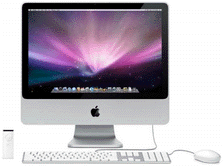
 DisplayMate can be used with Apple Macs, Linux, Unix Workstations,
and 64-bit versions of Windows
by using Windows emulation software that is widely available.
Some of these emulators are free.
Emulators are available for both PowerPC and Intel based Macs.
Be sure to check emulator compatibility with your particular system.
DisplayMate can be used with Apple Macs, Linux, Unix Workstations,
and 64-bit versions of Windows
by using Windows emulation software that is widely available.
Some of these emulators are free.
Emulators are available for both PowerPC and Intel based Macs.
Be sure to check emulator compatibility with your particular system.
A large number of non-Windows based manufacturers, test labs, and publications
use DisplayMate in this manner.
DisplayMate rigorously adheres to the Windows API,
so any decent emulator should not have a problem running DisplayMate.
To run DisplayMate, simply install the
appropriate Windows emulator and then run DisplayMate from the emulator
in the same way as you would on a Windows PC.
|
Commercial or Open Source Software for Apple Macs, Linux, and Unix
|
|
Freeware, Older, Discontinued, or Limited Availability Emulators
|
Do a web search for:
Connectix Virtual PC
Microsoft Virtual PC
Microsoft Virtual PC for Mac 7.0
Insignia Solutions or FWB Software
SoftWindows or RealPC
Windows Emulators
|












